





 Cuba
Cuba Nigeria
 Ethiopia
 India
IndiaHow can I make cheap calls to New Zealand?
Start by checking the live Voipfibre rate for New Zealand. Then choose the calling method that fits your account, such as the mobile app, browser calling, SIP, or access-number options where available.
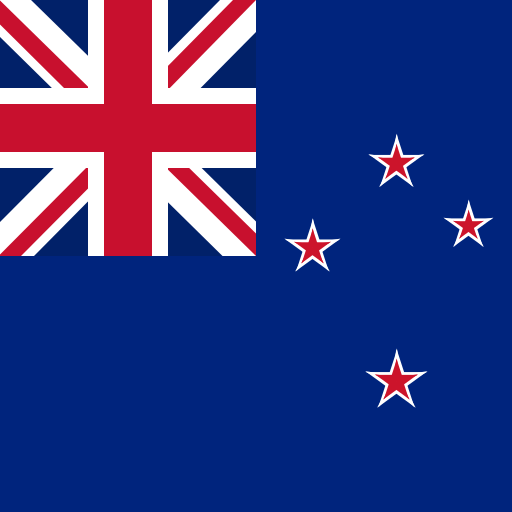 New Zealand
Cheapest possible rates to call New Zealand.


Rates in euro. Rates are charged per minute.
When you call using World Credits you can expect to use these rates for different services in New Zealand.
Please note that a flat rate applies for a Unlimited deal.
| Service | Price | EUR 10 gets you |
|---|---|---|
| Loading... | ||
Enter the full international number for New Zealand, confirm whether it is mobile or landline, and check the live Voipfibre rate before placing the call.

Voipfibre helps connect international calls through supported calling methods so you can compare rates to New Zealand before you call.

Voipfibre helps you compare calling options to New Zealand before you call, so important conversations are easier to plan. Check the number type, review the rate, and choose the calling method that fits your account.
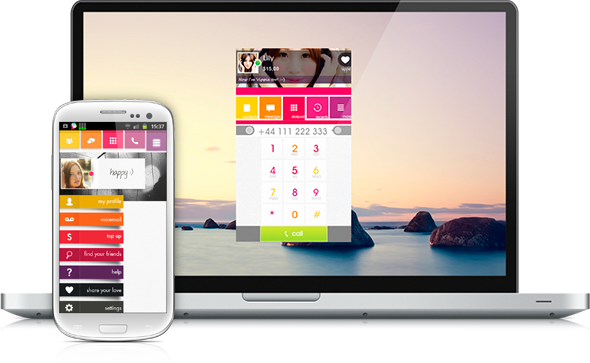
Call any phone in New Zealand from any phone. No contract. No commitment. No hassles. Sign up today in less than a minute and start calling New Zealand.
Pair destination rates with Voipfibre app tools, virtual phone numbers, and travel data when you need more than a one-off call.
Start with this rate, then open the guide that matches the country you are calling from or the number format you need.
Read answers to common questions about calling New Zealand. This guide covers calling codes, rates, supported calling methods, and how Voipfibre works before you place a call.
Start by checking the live Voipfibre rate for New Zealand. Then choose the calling method that fits your account, such as the mobile app, browser calling, SIP, or access-number options where available.
The calling code, also known as the dialling code, for New Zealand is +64 or 0064. Use international format before calling, then check New Zealand country code +64 for current destination options.
The prefix, also known as the calling code or dialling code, for New Zealand is +64 or 0064. Enter the full number, confirm whether it is mobile or landline, and review the matching Voipfibre rate before calling.
Voipfibre can be used as a calling-card alternative. There is no physical card to buy and no scratch-off PIN to manage: open your account, check the destination rate, add wallet credit when ready, and place supported calls.
Yes. Use Voipfibre to check rates to New Zealand, prepare wallet credit, and place calls through the supported app, browser, SIP, or access-number workflow available on your account.
Voipfibre is built for people and teams who need regular international calling, rate checks, wallet credit, call history, and optional number tools in one account.
Yes. You can call New Zealand from your mobile using Voipfibre where service is available. Use Wi-Fi or mobile data, check the rate for the number type, and place the call when your account is ready.
Yes, where access-number calling is available. Check the destination rate first because landline and mobile prices can differ in New Zealand.
Voipfibre shows rates for international calls to New Zealand before you call. Check the exact destination type, add wallet credit when ready, and use the calling method that fits your account.
Use a payment method only when it appears in your live Voipfibre checkout. Availability varies by region, platform, account, device, and provider.
Available when shown in live checkout.
Verified card brands in current card checkout options.
BTC, USDT, and other enabled coins shown at checkout.
Visa, Mastercard, BHIM UPI, and Google Pay where offered.
Apple Pay and Google Pay where offered in the mobile app.
Travel Data eSIM checkout uses Voipfibre wallet credit. Crypto payments are not promised to be anonymous, and blockchain activity may be publicly visible.